Upgraded AEON Bonus Point Program
Tab
Merchant
Filtering Result
0 item(s)

AEON
AEON HK$100 e-Gift Certificate
24,500 pts

Kee Wah Bakery
Kee Wah Bakery HK$100 Gift e-Voucher
25,000 pts

Forever Pets
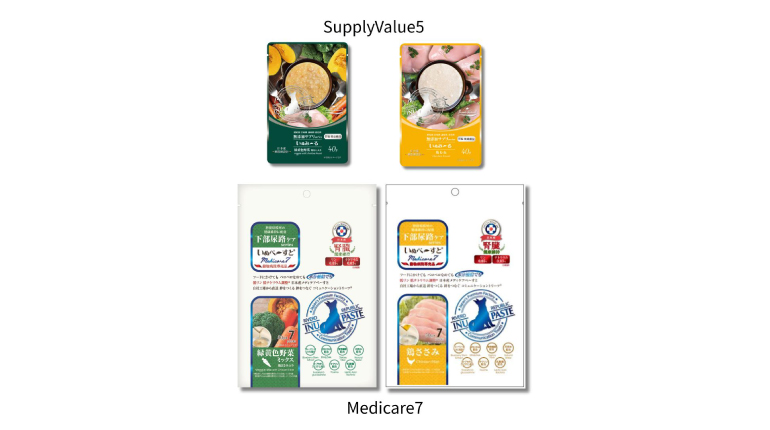
Dog Wellness Collection
65,000pts or 5,000pts + HK$230
Forever Pets
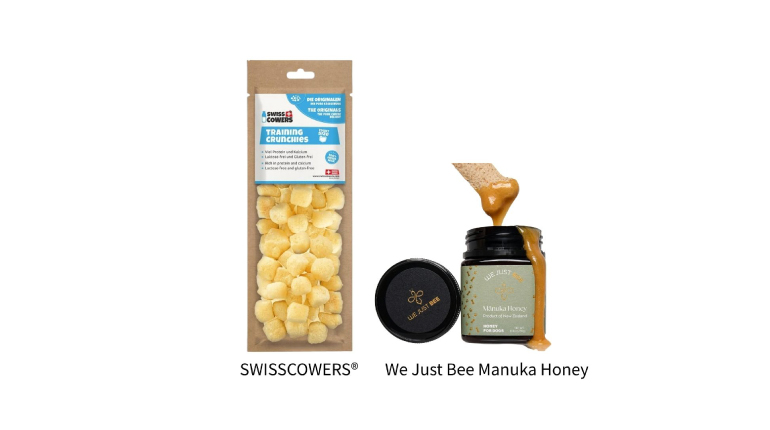
Dog Reward Collection
75,000pts or 5,000pts + HK$270
Forever Pets
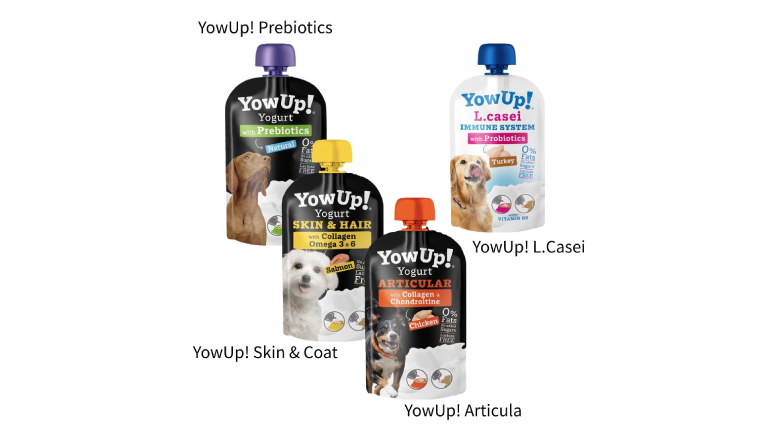
Dog Yogurt Collection
75,000pts or 5,000pts + HK$270
Forever Pets
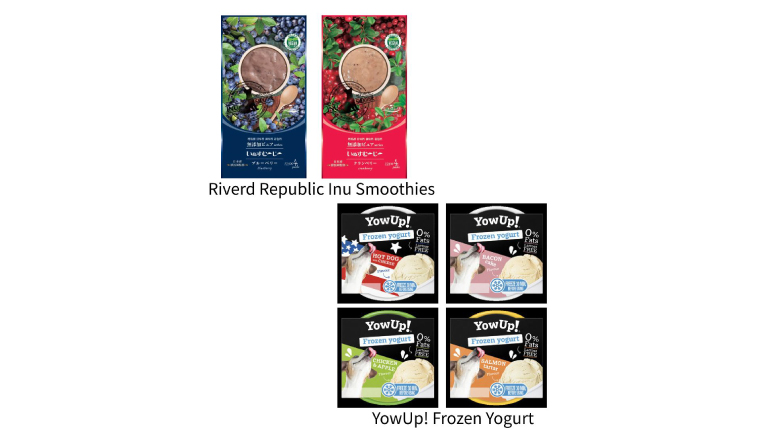
Dog Summer Essentials
65,000pts or 5,000pts + HK$230
Forever Pets
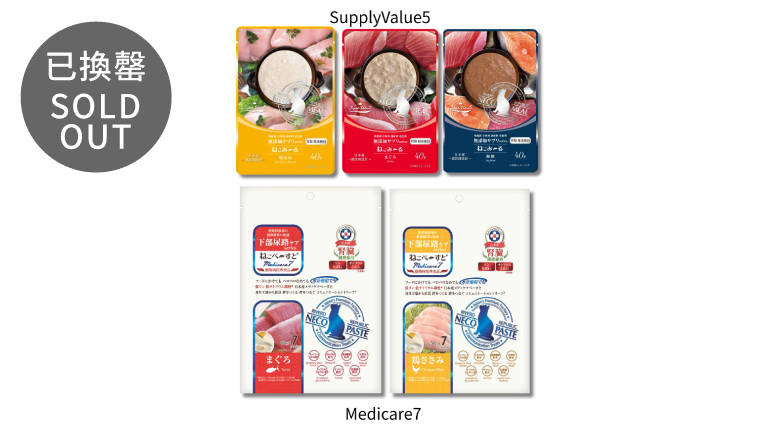
Cat Wellness Collection
75,000pts or 5,000pts + HK$270
Forever Pets
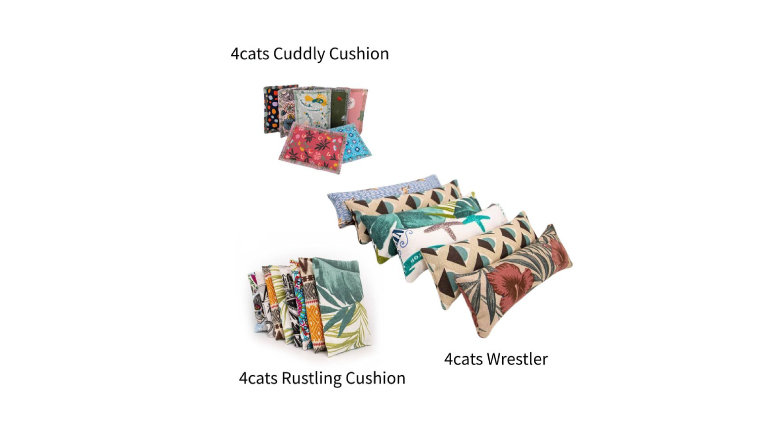
Cat Playtime Collection
65,000pts or 5,000pts + HK$230
Forever Pets
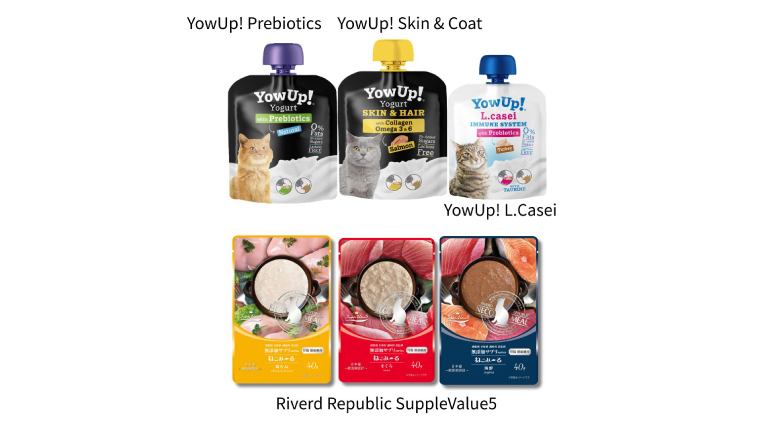
Cat Functional Nutrition Collection
65,000pts or 5,000pts + HK$230
Forever Pets
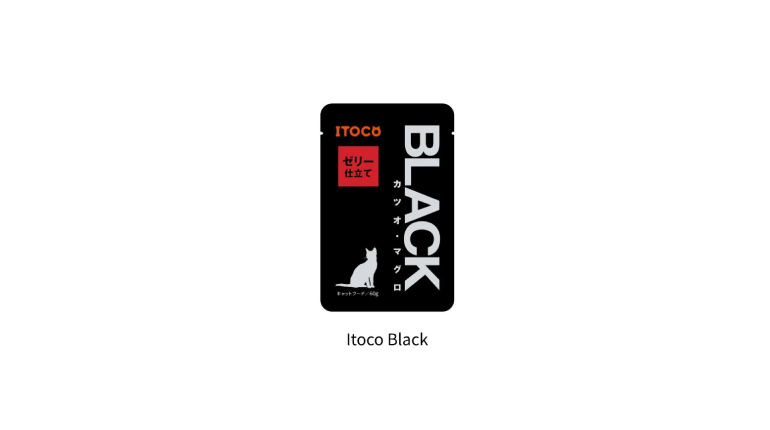
Cat Wet Food Collection
65,000pts or 5,000pts + HK$230
Forever Pets
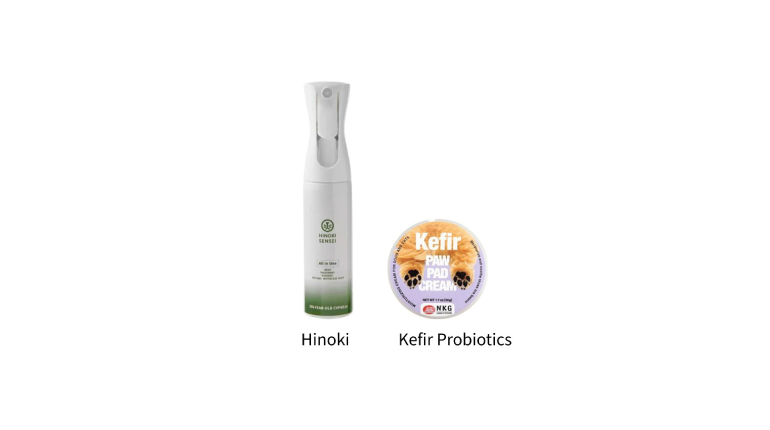
Pet Skin Care Essentials
100,000pts or 5,000pts + HK$370

ecHome
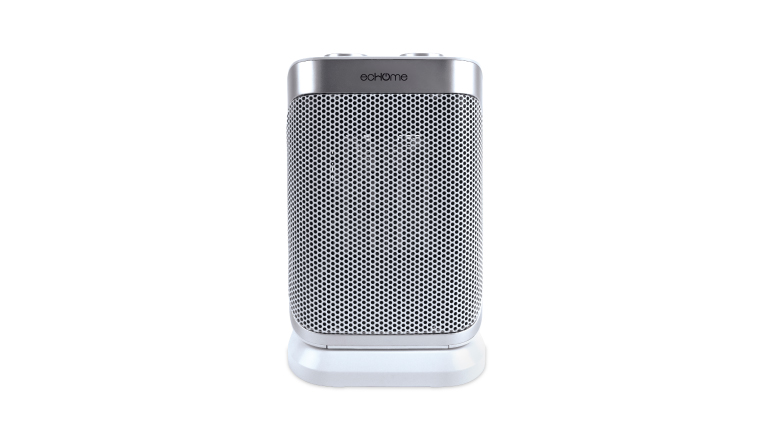
1500W PTC Ceramic Heater e-Voucher
67,500pts or 5,000pts + HK$230
ecHome
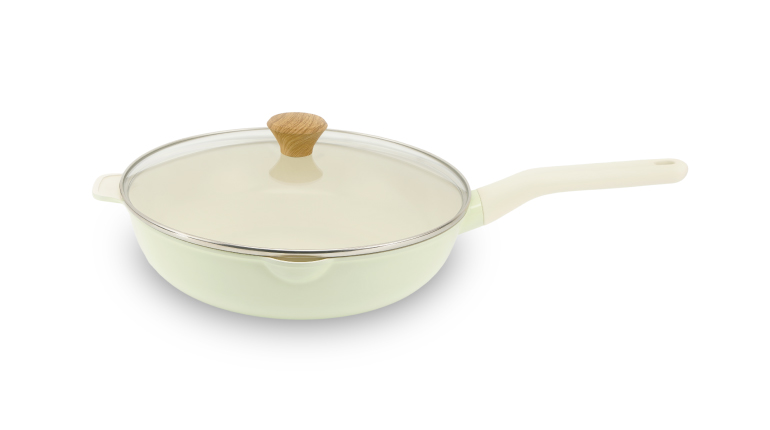
28cm Non-stick Coating Wok with Lid e-Voucher
52,500pts or 5,000pts + HK$170
ecHome
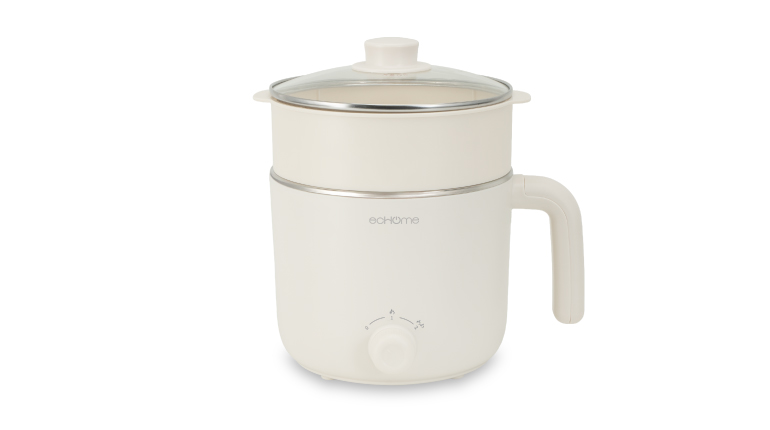
600W Cooking Pot with Steamer e-Voucher
42,500pts or 5,000pts + HK$140
ecHome
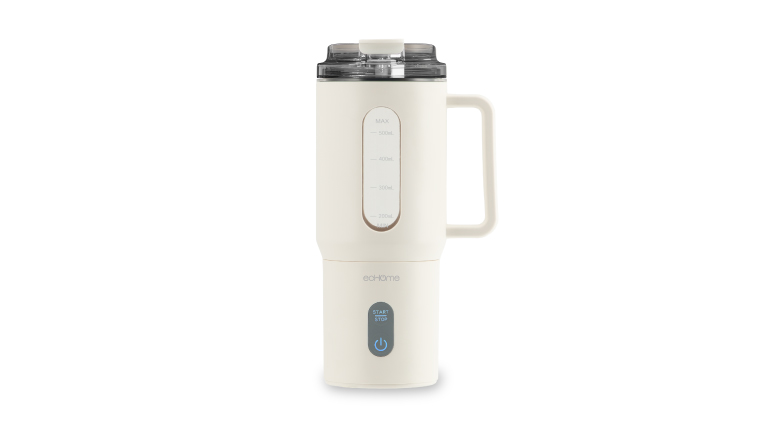
500ml USB Rechargeable Blender e-Voucher
52,500pts or 5,000pts + HK$180
ecHome
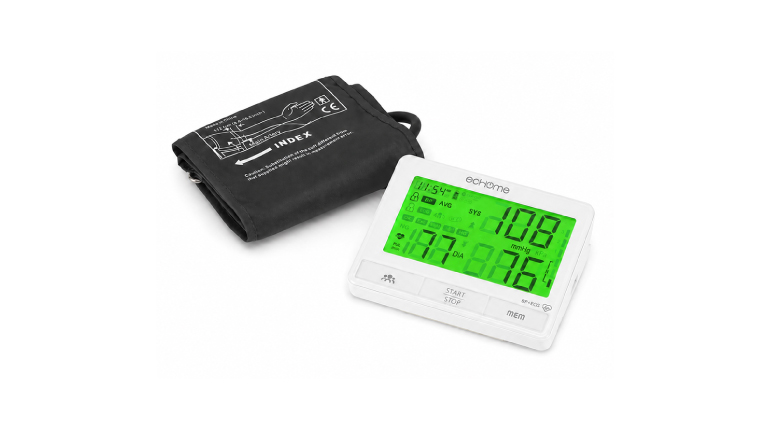
ECG Blood Pressure Monitor e-Voucher
215,000pts or 5,000pts + HK$830
ecHome
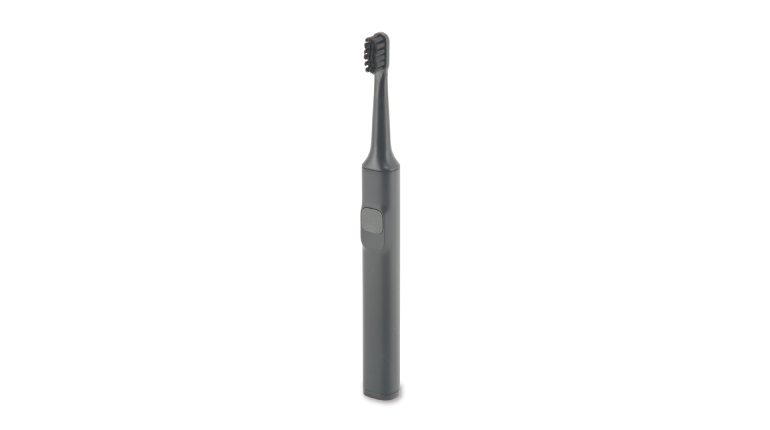
37,500pts or 5,000pts + HK$120
37,500pts or 5,000pts + HK$120
ecHome
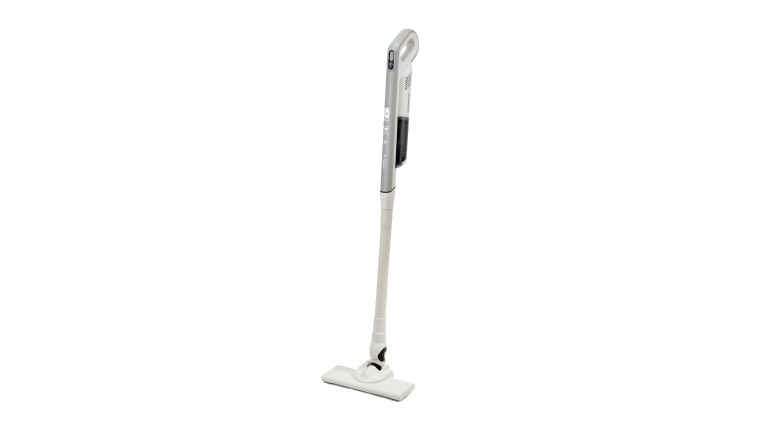
BLDC Cordless Vacuum Cleaner e-Voucher
155,000pts or 5,000pts + HK$570
ecHome
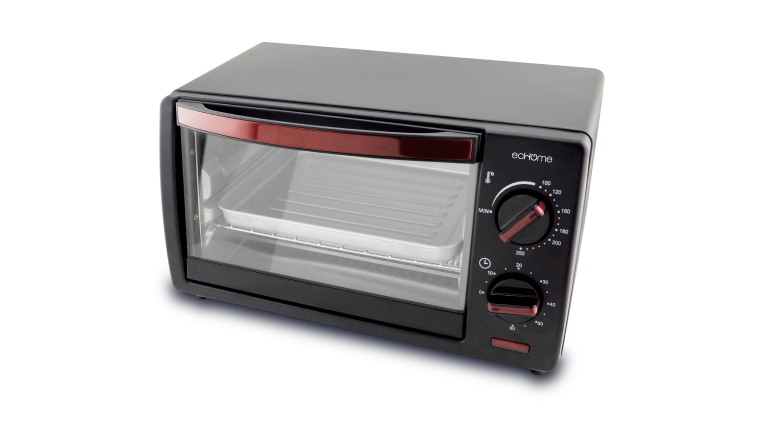
10L Toaster Oven e-Voucher
52,500pts or 5,000pts + HK$180

Hung Fook Tong

Hung Fook Tong - Chicken Essence e-Coupon (HK$265 x 1pc)
52,500pts
Hung Fook Tong

Hung Fook Tong - Herbal Tortoise Plastron Jelly e-Coupon (HK$60 x 2pcs)
25,000pts
Hung Fook Tong

Hung Fook Tong - Homemade Herbal Tea e-Coupon (HK$30 x 4pcs)
25,000pts
Hung Fook Tong
Hung Fook Tong - $100 Gift eVoucher
25,000pts
Hung Fook Tong

Hung Fook Tong - Healthy Home Made Soup e-Coupon (HK$60 x 2pcs)
25,000pts
Hung Fook Tong

Hung Fook Tong - Home Made Stewed Pork Trotter and Ginger in Sweet Vinegar e-Coupon (HK$68 X 2 pcs)
26,000pts

Sowers Action
HK$100 Donation to Sowers Action
25,000pts

Lady M
Lady M HK$100 e-Voucher
25,000pts

Paul Lafayet
HK$100 Gift e-Voucher (HK$50 X 2pcs)-For boutiques use only
25,000 pts

Circle K
Circle K $100 E-Coupon (HK$20 X 5pcs)
25,000 pts

KFC
KFC $100 E-Cash Voucher (HK$20 X 5pcs)
25,000 pts

Häagen-Dazs™
Häagen-Dazs™ HK$100 e-Voucher
25,000pts

Shell
HK$50 Gasoline e-Voucher
15,000pts
Shell
HK$100 Gasoline e-Voucher
25,000pts

Cathay Pacific
Bonus Point Conversion into Asia Miles (800 Asia Miles)
25,000pts

Japan Airlines
JAL Mileage Bank (JMB) 100 miles
4,500 pts

WWF
HK$100 Donation to WWF - Hong Kong
25,000pts


 Leave us a
message
The information you provided will be kept strictly confidential to protect you interests. For personal information or personal account enquiries, please contact our customer service hotline at 2895 6262. We will process your request or suggestion at the earliest possible time.

We have received your message and will process your request or suggestion at the earliest possible time.
 AEON Branch
 FAQ
Customer can click here to visit AEON Branches locations.
Repayment can be made through PPS, bank autopay, HSBC payment service, JET payment and cash payment at convenience stores. For details, please click here.
Customer can click here to visit AEON hotline system.
Our merchant team can be reached at 2239-9407 or click here to contact us through email.
AEON Cardmember is able to perform Cash Advance service through “AEON HK” Mobile App, AEON Netmember service, AEON Customer Services Hotline at 2895 6262, or non-AEON ATM network.
AEON cardholder is able to set or change PIN through “AEON HK” Mobile App, click here for detail.
AEON cardmember is able to check Cash Advance balance through “AEON HK” Mobile App, AEON Netmember service, contact AEON Customer Services Hotline at 2895 6262, or by non-AEON ATM network.
AEON provides AEON Personal Loan; Tax Loan and Home owner Loan. Click here for detail.
Customer can call the application hotline on 2895-6262 or visit any AEON branch nearby.
To apply online, please click here.
Step 1: Receive applicationStep 2: Review information providedStep 3: Consider the credit reportStep 4: Loan confirmationStep 5: Loan amount can be released in cash at AEON Branch or requested to transfer to designated bank account.
Please refer to www.transunion.hk
Customer can call the application hotline on 2895-6262 or visit any AEON branch nearby.
Customer can call the application hotline on 2895-6262 or visit any AEON branch nearby.
To apply online, please click here.
Step 1: Receive applicationStep 2: Review information providedStep 3:Consider the credit reportStep 4: Card ApprovalStep 5: Card will be mailed to Customer's home address or can be picked up at AEON Branch
Customer can call the customer service hotline on 2895-6262 or visit any AEON branch nearby or click here.
Customer can call the customer service hotline on 2895-6262 or visit any AEON branch nearby or click here.
At designated merchants, AEON Card member can make use of credit card instalment to pay for goods or services. The repayment amount will be charged to the card account every month, up to 24 months.
Customer can call the customer service hotline on 2895-6262 or visit any AEON branch nearby or click here.
Card member can draw cash from the card account through AEON Branch, ATM network, by phone or through website. For details, please click here.
Customer can click here to visit AEON discount merchants offers.
OTP Service is a security feature provided by AEON. When you make an online transaction with your AEON Visa card, AEON Mastercard or AEON JCB card at a participating 3D Secure online merchant, you will receive a 6 digits OTP through an SMS to your registered mobile number. Simply enter the OTP to authenticate your transaction.
No registration is required for OTP Service. And there is no service charge for this service. The OTP SMS will be sent to your mobile number.
Please ensure your registered mobile number with us is valid and updated.
OTP Service provides an extra security protection against online fraud. When you make an online transaction with your AEON Card at a participating 3D Secure online merchant, an OTP is required for the transaction authentication. With the implementation of this password authentication, should your credit card information be pilfered for any reason, they will not be able to use your credit card for the online transactions without the OTP sent to your registered mobile phone.
No. OTP is only required for online merchants that support the 3D Secure authentication protocol.
The OTP expires in 3 minutes after it is issued. If cardholder is unable to enter the OTP to complete your online transaction before the OTP expires, you can click "Resend OTP" button on the transaction webpage in order to receive another valid OTP on your registered mobile number. You can re-submit the new OTP to complete the transaction.
Please note that the "Resend OTP" function can only be used 3 times for each transaction. If cardholder uses the "Resend OTP" function for 3 times in a row without entering the correct OTP, you will be unable to complete the transaction. You will have to contact our Customer Service Hotline 2895-6262 to activate the service.
If you are unable to complete the transaction with a valid OTP, the transaction will be declined.
If cardholder is overseas and using overseas mobile service providers, the service provider may not support receipt of international SMS. Please bereminded to turn on your mobile phone and activate your roaming service to ensure you can receive the OTP SMS to complete the online transaction when you travel to overseas. Please consult your telecommunication service provider for details.
No, the service is only available for Hong Kong mobile number, to use this service cardholder would have to update your registered mobile with a Hong Kong mobile number.
If cardholder does not have a valid mobile number in our record, you would not be able to make successfully transactions. We suggest you to update your mobile number with us immediately via our branch [Click Here].
Through "AEON Netmember Service", customer can review credit card e-statements, loan or hire purchase account payment advice. Our bill payment service allows customer to pay for over 400 organizations' bills. Moreover, customer can redeem gifts and cash coupons with Bonus Points, apply credit card or loan through the AEON Netmember Service. Stay tuned, more online services will be coming soon.
All AEON customer can register for the online service through AEON Netmember Website or "AEON HK" Mobile App.
- Fill in the required personal information
- Receive and input one-time password to verify the registered mobile number and email address (if any)
- Create username and password
Each customer can register only once and have only one "AEON Netmember Service" user account. Once you logon to the account, you can view all the eligible accounts under your name with AEON.
AEON Netmember Service is free of charge.
If you have forgotten your username or password, please click "Forget Username/Password?" in the login page on AEON Netmember Website or click “Forget Username/Password” on "AEON HK" Mobile App, and provide your personal identification information for verification. Please make sure the information you provided is accurate. We will send an 8-digit “one-time password” to your registered mobile number by SMS. After verification, you can reset a new password. Upon successful password reset, the username (partially masked) will be sent to your registered email address.
If you have not received the SMS or have not registered any email address, please call our Customer Service Hotline at 2895-6262 or visit our branch for enquiry.
1. Log in to the “AEON HK” Mobile App
2. Go to the menu in the top left corner and select “Account”
3. Select “Close AEON Netmember Service Account” and fill in details
“AEON HK” Mobile App is a digital platform through which, customer can conveniently and safely access their accounts and check transaction history with just a few clicks. For more details on Mobile App features, please click here.
AEON will not charge for download and use of the Mobile App. However, customer may be responsible for any mobile data usage fee while accessing our Mobile App service. For details, please refer to your mobile network provider.
To download the Mobile App, customer can simply go to App Store or Google Play Store and search for "AEON HK".
Currently, this Mobile App is only available for download in Hong Kong App Store. Please check whether your App Store region is set to “Hong Kong”.
If you are still unable to use the app, you may log in through the AEON Netmember Service website, where you can continue to access our main services and features.
This is because your Apple ID settings are not based on your current location.
For example, if your Apple ID region is set to Hong Kong, you can use it without any problems; but if your Apple ID region is set to another country / region, you will not be able to download the “AEON HK” Mobile App even if you are in Hong Kong.
For customers who has registered for "AEON Netmember Service": Login "AEON HK" Mobile App by entering username and password, or login with the enabled biometric authentication.
For customer who has not signed up for "AEON Netmember Service", please click here or register via "AEON HK" Mobile App.
The Mobile App is compatible with the following mobile phones:
• iPhone with iOS 15 or above
• Android phones with version 12 or above
Please be noted that tablet models and some specific mobile phones may not support the Mobile App.
To prevent unauthorized access of your mobile device, customers should set up screen lock, passcode or biometric authentication (include fingerprint, Face ID and Touch ID) on your device to access "AEON HK" Mobile App.
Application channels include “AEON HK” Mobile App, AEON Branch or downloaded the application form from AEON website. For details, please click here.
AAVS can be linked with all types of Octopus.
To apply for AAVS, you must be aged 18 or above and have a credit card issued by AEON Credit Service (Asia) Co., Ltd (“AEON”). You can apply for yourself and up to 3 friends or family members aged 12 or above.
For details, please refer to the Octopus official website.
You can apply for AAVS for up to five Octopus for yourself through different financial institutions.
For details, please refer to the Octopus official website.
There are two possible causes:
i. The application has not yet been approved by AEON.
Note: AEON will issue a notification with instructions on how to activate the AAVS once your application has been approved.
ii. The AAVS for Octopus has not yet been activated.
Note: After you have received the notification, you should activate the service within 30 days by either:
- Bringing the notification, your Octopus card, and identification documents to any MTR Customer Service Centre (not applicable to mobile Octopus) or
- Using an NFC-enabled mobile device and selecting “Auto top-up via credit card” on the main page of Octopus App
There can be several reasons:
i. You may already have an existing Octopus linked with AAVS through AEON.
Note: You may apply for AAVS for up to five Octopus for yourself through different financial institutions.
ii. If apply for AAVS for family members or friends, AEON may require that the primary credit cardholder also holds an AAVS account at AEON.
iii. The application form is not properly filled out, or by other reasons that the application cannot be processed. If you have any enquiry, please contact AEON Customer Service Hotline on 2895 6262 or Octopus Customer Service Hotline on 2266 2222.
For yourself, you can apply for AAVS for up to a maximum of five Octopus through different financial institutions. You can also apply for AAVS for up to 3 friends or family members aged 12 or above. For details, please refer to the Octopus official website.
Cancellation can be made by calling the Octopus Customer Service Hotline on 2266 2222. Upon receipt of your cancellation request, we will send an authorization letter for de-activating the AAVS function on your Octopus. Please bring the letter and the Octopus to any MTR Customer Service Centre within 7 calendar days to deactivate the AAVS function on your Octopus. You may continue to use the Octopus in the normal way after cancellation.
Note: Cancellation of AAVS must be made by the Octopus user, and not the credit card holder
Redemption form can be obtained from AEON Branch or click here this link to redeem online.
Unless otherwise specified in the card application form, cardholders can earn one bonus point for every HK$1 spent on credit purchase.
Cash advance, fees and charges (including finance charge, annual fee, late charge and any other charge), tax payment, casino chips and cancelled or refunded transactions will not be entitled to any bonus point.
Under normal circumstance, bonus points will be deducted for redemption. If there is any cancelled or refunded transaction in your card account after deducting the relevant bonus point,AEON will make adjustment on bonus points earned from the transaction. If the bonus point in your card account is less than the adjustment, there is a chance to show negative bonus point.
Example : You have 20,000 bonus points in your credit card account. After making credit purchase of HK$7,000 in a shop, the bonus point balance will become 27,000. If you redeem a piece of AEON HK$100 gift voucher bonus point will be reduced to 2,000 (require 25,000 AEON Bonus Points to redeem one gift voucher). If due to product detects, the merchant agree to cancel the transaction and refund HK$7,000 to your credit card account. Then AEON will deduct 7,000 bonus points from your credit card account. Because the current bonus point balance is 2,000, it will become -5,000 after the adjustment. If there is no new transactions exceeds HK$5,000, the bonus point balance will be shown negative in the statement of that month.
The new bonus points you earn will be used to offset the negative bonus points until the balance becomes positive in your card account.
Example : If the current bonus point balance is -5,000. And you earn 4,000 new bonus points by purchase spending HK$4,000 in a shop. These earned bonus points will be used to offset -5,000 bonus points. Thus, the bonus points balance will become -1,000 in the statement. The bonus point balance will become positive if you earn more than 1,000 bonus points.
Cardholders of AEON Card JAL and AEON CARD WAKUWAKU are not eligible for the bonus point redemption program.
No, only AEON principal cardholder is eligible for redemption of supplementary card’s bonus points.
1. Online – Select the item(s) you wish to redeem from our online catalogue at AEON net member bonus point page. 2. AEON mobile app – To register or logon to AEON Netmember through mobile app. Download "AEON HK" mobile app, please click here. 3. By mail – Complete the redemption form and mail to: 20th Floor, Mira Place Tower A, 132 Nathan Road, Tsim Sha Tsui, Kowloon, Hong Kong (Please specify "AEON Bonus Point Program")
Accrued bonus points and their expiry date will be shown on the cardholder’s monthly statement. For your convenience, you can also view your bonus points any time through AEON Netmember Service.
Effective from June 2021, a fee of HK$10 will be applied for each paper statement received each month and will be debited from the credit card account on the statement date.
Customer can avoid the Paper Statement Fee simply by enrolling in the e-Statement service. You will be able to view, download and print out past statements via AEON Netmember and "AEON HK" Mobile App at anytime, anywhere.
The fee will be waived for Cardholders who aged 65 or above.
Example:
I was born on February 11, 1959 and will become 65 on February 11, 2024. Will I be charged for the Paper Statement Fee if I receive the paper statement dated February 12, 2024?
No. Exemptions will be applied to Cardholders who aged 65 or above. Since you will be aged 65 on the statement date, the fee will be waived.
For New customer / Non-AEON Netmember
1. DOWNLOAD “AEON HK” Mobile App and check “e-Statement” after successful registration.
OR
2. Visit AEON Website and click “LOGON” in the top right corner and register AEON Netmember service in the New User Registration.
*Customer who have registered for AEON Netmemeber service, e-Statement Service will be subscribed automatically
For existing AEON Netmember customers and receive Paper Statement
1. LOGON AEON Netmember Service1
2. Choose “e-Statement”
3. Click “Statement Setting”
4. Select “e-statement”23
Remark:
1. Change statement option is only available on AEON Netmember, and not available in "AEON HK" Mobile App
2. If the statement setting is updated by 10th of the month, the new setting will be reflected in the current month’s statement.
3. Only principal cardholders can control the e-Statement settings for his/her supplementary card (limited to registered AEON Netmembers only).
If the statement setting is updated before statement date of the month, the new setting will be reflected in the current month’s statement.
No. AEON will provide Principal Cardholder a credit card consolidated statement, including the supplementary account. Only the Principal Cardholder can control the e-Statement setting. (limited to registered AEON Netmembers only).
You can choose the relevant payee from the merchant list and submit the payment.
No merchant code is required upon making your payment. Simply select the merchant name(s) from the merchant list and input the bill account number(s).
The cut-off time is 3:00 p.m. Any payment instruction received after 3:00 p.m. from Monday-Friday or Saturdays, Sundays and public holidays will be executed on the next business day.
Except tax payment transaction which will not be entitled to any AEON Bonus Points, AEON Credit Cardholders can earn AEON Bonus Points for transactions of the AEON Bill Payment Service.
Apart from special promotion or otherwise specified, every HK$1 spent in AEON Bill Payment can only earn AEON Bonus Point with AEON Credit Card. A maximum of 10,000 Bonus Points per month will be awarded.
No, you cannot use Bill Payment Service to pay AEON accounts.
2% service fee is applied to the following 2 categories:
- Credit Services
- Securities Broker
The below are excluded from this Service:
- Banking and Credit Card Service
- The Hong Kong Jockey Club
- Bill Type 03 of Inland Revenue Department
Real Time Payment is a payment instruction that will be executed immediately upon your confirmation.
Scheduled Payment / Recurring Payment are payment instructions that will be executed on the specified date(s).
You can amend your Scheduled Payment instructions in "Manage Scheduled / Recurring Payments" and the amendment must be done before 3:00 p.m. on the business day before the payment date.
In that case, the payment instruction will not be executed. However, if your remaining credit limit is insufficient to make payment to the merchants in the "Public Utility" category, we may temporarily increase your credit limit up to a certain amount as determined by us at our absolute discretion in which case we will charge a handling fee of HK$100 which will be debited to your credit card account.
In that case, the payment instruction will not be executed. We strongly recommend you to delete the payee/merchant if necessary after the payment instruction is successfully processed.
On the next business day after the payment date, you may login AEON Netmember anytime after 10 a.m. to check the transaction status in "Transaction Record" in "Bill Payment Service". Apart from checking online, you will be notified by email when your payment instruction has been executed.
For Scheduled Payment, only one scheduled payment can be made for each registered bill. Also, scheduled date must be within 1 month.
For Recurring Payment, only one recurring payment can be made for each registered bill. The recurring payment term shall start from the 2nd month to the 12th month.
Mobile Security Key is a 6-digit PIN enabling customers to access online services:
Securely - Provides an extra layer of security by two-factor authentication
Instantly - Generates Security Token for access instantly
Conveniently - Generates Security Token regardless of mobile network
After the setup of Mobile Security Key, you can login and authenticate designated mobile transactions which require additional authentication for a higher level of security by using Mobile Security Key on "AEON HK" Mobile App.
You can also generate Security Token on your mobile to authendicate the login and designated online transactions on AEON Netmember Website.
For details, please click here.
After the setup of Mobile Security Key, customer can generate one-time Security Token on "AEON HK" Mobile App to login and authenticate access on AEON Netmember Website. There are 2 types of tokens:
Login Token - Login AEON Netmember Website
Transaction Token - Authenticate transactions on AEON Netmember Website
For details, please click here.
Yes. Generating Mobile Secure Key does not require mobile network.
AEON UnionPay QR Cash ( UnionPay QR Cash) is a cardless ATM cash withdrawal service that allows customer to enter your cash withdrawal instructions in just a few steps on the "AEON HK" Mobile App. You can then login the "AEON HK" Mobile App, scan the QR code generated on any local ATM that supports UnionPay QR Code Withdrawal service, and then input the card PIN to complete the cash withdrawal.
You can also get cash from any ATM in Hong Kong and mainland China that supports UnionPay QR Code Withdrawal service. The use of UnionPay QR Cash is subject to relevant terms and conditions.
- Login your account and tap UnionPay QR Cash on AEON Unionpay Credit Card in the menu
- Read the “Terms and Conditions” and click “Next”
- Enter the 6-digit Mobile Security Key or use Biometric Authentication and click “Confirm”
- UnionPay QR Cash is registered successfully
Remark: To ensure your account security, "AEON HK" Mobile App will require you to be authenticated on with either your Mobile Security Key or biometric authentication when setting up UnionPay QR Cash and making UnionPay QR Pay. If you wish to use and have not set up your Mobile Security Key, please visit: https://www.aeon.com.hk/en/digital-services/msk.html
- Login your account, select AEON UnionPay Credit Card and tap UnionPay QR Cash in the menu
- Select Currency and enter withdrawal amount, read the “Terms and Conditions” and click “Next”
- Enter the 6-digit Mobile Security Key or use Biometric Authentication and click “Confirm”
- Instruction has been submitted
- Click “Withdraw Now”/ “Withdraw Later” (Note: Pending withdrawal instruction is valid within 30 minutes)
- Scan the QR Code on ATM within the frame to withdraw cash
- Follow the instruction shown on ATM and enter credit card PIN
- Upon completing successful withdrawal, the last 4 digits of your AEON credit card is also shown on the transaction receipt screen.
You can update a cash withdrawal instruction using “Edit” or “Delete” function.
You can withdraw cash with UnionPay QR Cash at all supported ATMs in Hong Kong (choose “UnionPay QRC Withdrawal” at ATM).
You can currently withdraw in HKD, CNY and MOP with UnionPay QR Cash.
Any cash withdrawal from all AEON UnionPay Credit Card at all supported ATMs will be treated as a cash advance transaction, please refer to the “Fee Schedule and Key Facts Statement” for the handling fee to be charged.
You have to be a holder of the AEON UnionPay Credit Card or AEON Card Premium UnionPay with a valid mobile number and email address on record in the AEON system. You also need to activate Mobile Security Key or use Biometric Authentication in "AEON HK" Mobile App on the same device you wish to make UnionPay QR Cash with.
The QR cash daily withdrawal limit is HKD 10,000 or equivalent currencies in CNY/MOP.
AEON UnionPay QR Pay (UnionPay QR Pay) is a contactless payment method that allows customers to make instant and contactless payments with AEON Card by presenting or scanning QR code via "AEON HK" Mobile App using the UnionPay QR Pay services.
- Login your account and tap UnionPay QR Pay on AEON Unionpay Credit Card in the menu
- Read the “Terms and Conditions” and click “Next”
- Enter the 6-digit Mobile Security Key or use Biometric Authentication and click “Confirm”
- UnionPay QR Pay is registered successfully
Remark: To ensure your account security, "AEON HK" Mobile App will require you to be authenticated on with either your Mobile Security Key or biometric authentication when setting up UnionPay QR Cash and making UnionPay QR Pay. If you wish to use and have not set up your Mobile Security Key, please visit: https://www.aeon.com.hk/en/digital-services/msk.html
Registration is almost instant. You will be notified by SMS and email when UnionPay QR Pay activation has successfully completed.
- Login "AEON HK" Mobile App
- Select any AEON UnionPay Credit Card and tap UnionPay QR Pay in the menu
- Press “My QR Code” to bring up your personal QR code, which you can present to the merchants so they can scan it for payment; Or select “Scan” to make a payment by scanning a QR code displayed by a merchant that supports UnionPay QR Pay
- Upon completing successful payment, the transaction details will be shown on the transaction receipt screen
The “My QR Code” of UnionPay QR Pay brings up your personal QR code, which you can present to the merchants so they can scan it for payment.
The “Scan” of UnionPay QR Pay allows you to make a payment by scanning a QR code displayed by a merchant that supports UnionPay QR Pay.
Either method can only be used at merchants accepting UnionPay QR code and cannot be used with other types of QR code payment.
No, it works with UnionPay QR code scanners only.
If you want to make QR code payments at merchants accepting UnionPay QR code payments in mainland China, you can switch the payment location to “Mainland China” under "My QR Code" tab in "AEON HK" Mobile App. For payments in Hong Kong and other parts of the world, you can choose “HK / Others”.
You can make UnionPay QR Pay anywhere in the world as long as the merchant accepts UnionPay QR code payment.
You have to be a holder of the AEON UnionPay Credit Card or AEON Card Premium UnionPay with a valid mobile number and email address on record in the AEON system. You also need to activate Mobile Security Key in "AEON HK" Mobile app on the same device you wish to make UnionPay QR Pay with.
No. Your QR code refreshes automatically at 1-minutes intervals. You also have the option to refresh the QR code manually yourself, should you wish to. After using the QR code for a transaction, you will not be able to use it again.
If you make a payment by scanning merchant's UnionPay QR code, you need to check with merchant about the payment amount and manually input it. If the payment amount includes dollars and cents, then you will need to manually input the missing amount in cents. Please ensure you review the merchant name, amount, and currency before you confirm the payment.
If you make a payment by presenting your QR code, the card face and the last 4 digits of your credit card are shown over your payment code.
If you make a payment by scanning a merchant's QR code, the last 4 digits of your credit card is shown on the payment review screen.
Moreover, upon completing successful payment, the last 4 digits of your credit card is also shown on the transaction receipt screen.
You will know immediately if the payment is successful or not in "AEON HK" Mobile App. An on screen message will be displayed if the transaction is not successful. When the payment is successful you will see a transaction receipt.
You can check the transaction history anytime on "AEON HK" Mobile App. You can go to “Account Overview”, select the credit card used to make the UnionPay QR Pay with, and then tap on “Transaction History” to view successfully completed transactions. You can also view the transaction in the AEON Netmember Website and on your credit card statement, both e-statement and paper statement. Or you can also screenshot the transaction receipt screen for your record.
Yes. You may request for refund if the merchant supports refunding the transaction.
No, you must have internet connection in order to make UnionPay QR Pay.
You can report a lost calling our customer service hotline:
AEON Customer Service Hotline: (852) 2895 6262
Your lost AEON UnionPay Credit Card would not be eligible to make any UnionPay QR Pay in "AEON HK" Mobile App upon reporting.
Yes.
No, you can bind your AEON UnionPay Credit Card on UnionPay App and use the Transit code service to pay public transportation fare. For details, please visit: https://www.aeon.com.hk/en/credit-card/upi-app-user-guide.html
Apple Pay is one of the Mobile Payments solutions available to AEON Cards. It provides a simple and secure way to pay using your compatible Apple devices.
Apple Pay works with most iPhone, Apple Watch, iPad and Mac devices. For the latest list, please refer to https://support.apple.com/en-hk/HT208531
All AEON Visa, AEON Mastercard and AEON UnionPay Card issued by AEON Credit Service (Asia) Co. Ltd. are eligible for Apple Pay.
Setting on "AEON HK" Mobile App,
1. Logon to “AEON HK” Mobile App, go to “Home” page and select the credit card you would like to add to Apple Pay
2. In “Card Settings” , tap “Add to Apple Wallet”
3. You will receive a SMS notification from AEON upon successful added the credit card to Apple Wallet
4. Your AEON Card will be ready to use with Apple Pay upon successful approval
Setting on "Wallet" app,
1. Open the Wallet app
2. Tap the “+” sign and follow the onscreen instructions, Cards can be added by scanning your card with Apple Pay or inputting the card information manually.
3. You will receive a SMS notification from AEON upon successful added Card to Apple Wallet on Apple Wallet app.
4. To activate your card on the wallet, you are required to logon "AEON HK" Mobile App and complete activation request
5. Your AEON card will be ready to use with Apple Pay upon successful approval.
For more details, please refer to https://www.apple.com/hk/en/apple-pay/
1. Logon "AEON HK" Mobile App
2. Go to the “Account” (top-left profile icon) and Click "Add Card to Mobile Wallet"
3. Select and approve AEON Card to add to Mobile Wallet device
4. Your AEON Card is added to Mobile Wallet successfully and ready to use with Apple Pay
For security purposes, AEON may ask you to enter a verification code to confirm your identity. If prompted, please follow the onscreen instructions to receive and enter the verification code. If you fail to enter the verification code, or the verification code has expired, please contact AEON Customer Service Hotline at 2895 6262.
Go to Wallet app, tap your AEON Card and drag it to the front of your cards.
Yes, you may enroll your AEON Card for up to 10 devices.
You can remove your AEON Cards by selecting the card in the Wallet app, click “...”button in the top right corner, then select "Card Details" and scroll down to the bottom, and then tap "Remove This Card".
The cards in Apple Pay are digital version of your physical cards. If you lose your original AEON Card and the respective card will be suspended in Apple Pay automatically, you need to register the card again when you receive the replacement card.
The cards in Apple Pay are digital versions of your physical cards. If you receive a renewal card to replace your expired card, your renewal AEON Card will automatically be registered back to Apple Pay when you activate your renewal credit card.
Yes. When you disable Apple Pay or remove a registered card, you are only suspending the digital card that has been assigned to your device for that card.
You can go to your Apple ID account page via iCloud or use the "Find My iPhone" app to suspend or permanently remove the ability to pay of your AEON Card from that device with Apple Pay.
Your cards will be suspended or removed from Apple Pay even if your device is offline and not connected to a cellular or Wi-Fi network; the action will be processed once it is online again.
Besides, you may contact AEON Customer Service Hotline at 2895 6262 to report a lost/stolen card. Our customer service representative will be able to block the AEON Card enrolled on Apple Pay on the device.
No. Formatting your device will remove all cards registered to your device.
Yes. You would need to register your AEON Card again if you were to change your device. Please ensure that you remove your card(s) from any device before selling, exchanging, or disposing of them. You can remove your AEON Card by selecting the card in the Wallet app, click “...”button in the top right corner, then select "Card Details" and scroll down to the bottom, and then tap "Remove This Card".
No, your renewal AEON Card will automatically be registered back to Apple Pay when you activate your renewal credit card.
When you add an AEON Card to Apple Pay, a unique virtual account number is allocated by Apple Pay and Card Network represents your physical card. Your name and full card details, except the last 4 digits of your card number for easy identification, are never shown in the app and never shared with the store.
You can use Apple Pay in stores with contactless payment terminals. You can also make in-app purchases where Apple Pay is provided as a payment option.
Cancelling a payment made with Apple Pay is the same as a physical card. Please contact your merchant if you have specific feedback about the product/service, or if you wish to request for a refund.
All purchases made with Apple Pay can be returned according to the store’s policies. If you return an item paid for with Apple Pay, the store may require you to tap your phone onto the NFC reader to complete the return.
Apple Pay requires an active internet connection for AEON Card registration and activation. However, an active internet connection is not required to make in-store purchases.
The last 10 transactions made with Apple Pay are viewable in the Wallet app. Simply tap on a registered AEON Card in the app to see the Apple Pay transactions made with that card.
Same as physical versions of AEON Cards, you will enjoy card benefits or receive bonus points when you make payments using using Apple Pay.
Google Pay is one of the Mobile Payments solutions available to AEON Cards. It provides a simple and secure way to pay using your compatible Android devices.
Google Pay works with most NFC capable Android devices running Lollipop (5.0) or higher.
All AEON Mastercard and AEON Visa issued by AEON Credit Service (Asia) Co. Ltd. are eligible for Google Pay.
Setting on “AEON HK” Mobile App
1. Logon to “AEON HK” Mobile App, go to “Home” page and select the credit card you would like to add to Google Pay
2. In “Card Settings”, tap “Add to G Pay”
3. You will receive a SMS notification from AEON upon successful added the credit card to Google Wallet
4. Your AEON Card will be ready to use with Google Pay upon successful approval
Setting on Google Wallet app,
1. Open Google Wallet app,
2. Select 'Add card', then choose 'Debit or credit card', capture your card details and follow the onscreen instruction in the app or enter your card details manually.
3. You will receive a SMS notification from AEON upon successful added the credit card to Google Wallet.
4. To activate your credit card on the wallet, you are required to logon "AEON HK" Mobile App and complete activation request
5. Your AEON card will be ready to use with Google Pay upon successful approval
For more details, please refer to www.support.google.com/googlepay
1. Logon "AEON HK" Mobile App
2. Go to the “Account” (top-left profile icon) and Click "Add Card to Mobile Wallet"
3. Select and approve AEON Card to add to Mobile Wallet device
4. Your AEON Card is added to Mobile Wallet successfully and ready to use with Google Pay
For security purposes, AEON may ask you to enter verification code to confirm your identity. If prompted, please follow the onscreen instructions to receive and enter the verification code. If you fail to enter the verification code, or the verification code has expired, please contact AEON Customer Service Hotline at 2895 6262.
You can go to Google Wallet app, select your AEON Card and tap "SET AS DEFAULT CARD". You can also tap your AEON Card and drag it to the top of the screen to set it as default card.
Yes, you may enroll your AEON Card for up to 10 devices.
You can remove your AEON Cards by selecting the card in the Google Wallet app, scroll down and tap "Remove payment method".
The cards in Google Wallet app are digital version of your physical cards. If you lose your original AEON Card and the respective card will be suspended in Google Pay automatically, you need to register the card again when you receive the replacement card.
The cards in Google Wallet app are digital versions of your physical cards. If you receive a renewal card to replace your expired card, your renewal AEON Card will automatically be registered back to Google Pay when you activate your renewal credit card.
Yes. When you disable Google Pay or remove a registered card, you are only suspending the digital card that has been assigned to your device for that card.
You can find, lock, or erase your device using "Android Device Manager".
To enable the "Android Device Manager", you need to take these steps in advance:
1) Sign in to your Google account on your device in order to use the "Android Device Manager";
2) Turn on the location access under Settings > Location;
3) Under Settings > Security > "Android Device Manager", move the switches next to "Remotely locate this device" and "Allow remote lock and factory reset" to the "On" position.
*Different devices might have a different setting menu
Besides, you may contact AEON Customer Service Hotline at 2895 6262 to report a lost/stolen card. Our customer service representative will be able to block the AEON Card enrolled on Google Pay on the device.
No. Formatting your device will remove all cards registered to your device.
Yes. You would need to register your AEON Card again if you were to change your device.
Please ensure that you remove your card(s) from any device before selling, exchanging, or disposing of them. You can remove your AEON Card by selecting the card in the Google Wallet app, scroll down and tap "Remove payment method".
No, your renewal AEON Card will automatically be registered back to Google Wallet app when you activate your renewal credit card.
When you add an AEON Card to Google Wallet app, a unique virtual account number is allocated by Google Pay and Card Network represents your physical card. Your name and full card details, except the last 4 digits of your card number for easy identification, are never shown in the app and never shared with the store.
You can use Google Pay in stores with contactless payment terminals. You can also make in-app purchases where Google Pay is provided as a payment option.
Cancelling a payment made with Google Pay is the same as a physical card. Please contact your merchant if you have specific feedback about the product/service, or if you wish to request for a refund.
All purchases made with Google Pay can be returned according to the store’s policies. If you return an item paid for with Google Pay, the store may require you to tap your phone onto the NFC reader to complete the return.
Google Pay requires an active internet connection for AEON Card registration and activation. However, an active internet connection is not required to make in-store purchases.
The last 10 transactions made with Google Pay are viewable in the Google Wallet app. Simply tap on a registered AEON Card in the app to see the Google Pay transactions made with that card.
Same as physical versions of AEON Cards, you will enjoy card benefits or receive bonus points when you make payments using Google Pay.
AEON Virtual Credit Card brings your credit card into digital form. You can apply, view your virtual credit card details (Card number, Card expiry date and Security code) upon card approval and activation through "AEON HK" Mobile App, and make payments for online shopping or mobile payments in physical store with AEON Virtual Credit Card.
Yes, customers can apply for a virtual credit card first and use it immediately after approval and activation. A physical card will be mailed to your home address in 7 working days upon your activation of the virtual credit card.
Note: If you haven’t activated your virtual credit card within 30 days, a physical card will still be mailed to your home address. Once the physical card has been issued, the inactivated virtual credit card could not be used.
Yes, customer can view your virtual credit card details (Card number, Card expiry date and Security code) upon card approval and activation through "AEON HK" Mobile App, and make payments for online shopping or mobile payments in physical stores with an AEON Virtual Credit Card.
Yes, you are required to activate your physical card after receiving it.
Yes, once your AEON Virtual Credit Card has been activated, you can register for credit card promotions in "AEON HK" Mobile App.
Customer can logon and set in "AEON HK" Mobile App. For more details, please refer to the below.
Apple Pay: click here
Google Pay: click here
UPI QR Pay: click here
Upon physical card activation, for the sake of security, AEON will update credit card’s security code and expiry date automatically.
Customer can view new card details (Card number, Card expiry date and security code) through "AEON HK" Mobile App. If you have set up the recurring payment with AEON Virtual Credit Card, please update the credit card’s security code and expiry date information on the merchant’s website/ merchant app after receiving the physical card.
The “Card-Not-Present” (CNP) Transaction Limit is a daily spending limit that you can set for eligible card-not-present transactions. It applies to transactions that do not require presentation of the physical credit card, such as online purchases and in-app purchases.
Eligible transactions generally include:
- Online purchases
- In-app purchases
- Telephone orders
- Mail orders
- Fax orders
The CNP Transaction Limit generally does not apply to:
- Transactions requiring presentation of the physical credit card
- Transactions requiring payment through a digital wallet
- Recurring billing or auto-renewal transactions
- Autopay or direct debit authorisations
- Octopus Automatic Add Value Service
- Refund transactions
You can set, change or deactivate your CNP Transaction Limit via the following channels.
- “AEON HK” Mobile App: Account > Manage Card > Set Card-Not-Present Transaction & Limit
- AEON Netmember Website: Card Services > Set Card-Not-Present Transaction & Limit
If you do not set a CNP Transaction Limit, no daily CNP spending limit will apply to your credit card. All transactions will remain subject to your available credit limit.
The maximum CNP Transaction Limit you can set is your current credit limit, which cannot exceed your credit limit.
Yes. If your CNP Transaction Limit is set to HK$0, CNP transactions will generally be declined.
If you have activated a CNP Transaction Limit, a transaction must satisfy both of the following conditions:
- Sufficient available credit; and
- Sufficient remaining CNP Transaction Limit.
A transaction may be declined if it exceeds your remaining daily CNP Transaction Limit.
The system accumulates the value of all eligible CNP transactions successfully authorised during that day.
Calculation period:
- Starts at 00:00 Hong Kong Time
- Ends at 23:59:59 Hong Kong Time
- Resets at 00:00 Hong Kong Time on the following day
No.
Refund transactions do not reduce the amount already accumulated towards your daily CNP Transaction Limit. Similarly, credit card repayments affect your outstanding balance and available credit, but do not reduce the amount already accumulated towards your daily CNP Transaction Limit.
Changes take effect immediately once your instruction has been accepted by us and will apply to subsequent transactions.
Yes. An SMS and/or email notification will be sent when you activate, change or deactivate your CNP Transaction Limit.
日本語FAQはこちら